

Applications
Applications are organized into several sections to help you clearly review and manage each applicant. All information is collected directly from the job posting’s application form.
To view all Applications go to Careers → Applications
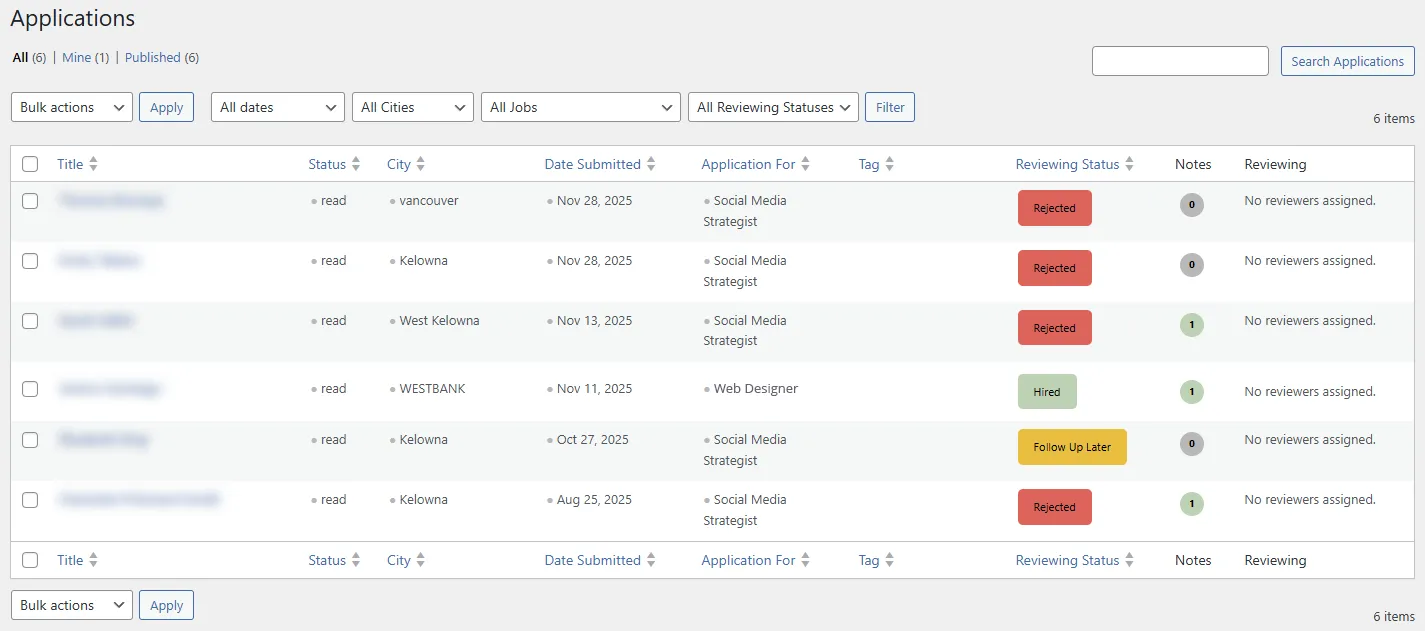
To view an individual Application go to Careers → Applications → click on a specific name
Application Summary
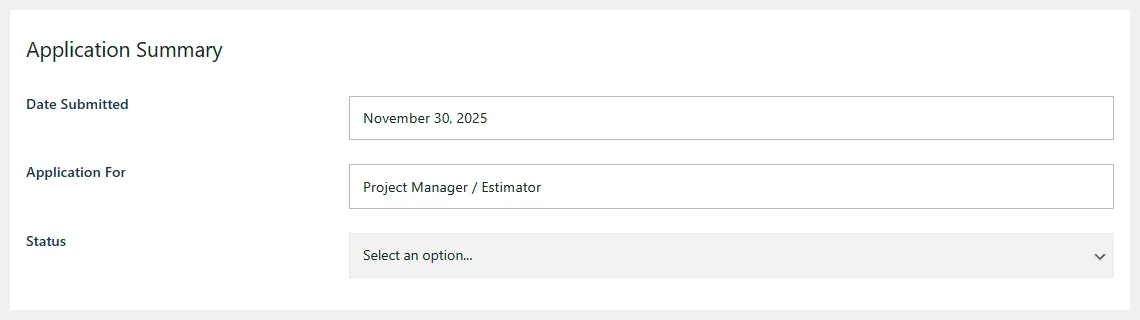
Date Submitted: The date the application was received.
Application For: The job the applicant is applying for.
Status: Indicates the application’s current state.
- Defaults to New.
- Reviewers must manually update this as they progress through the review workflow.
Applicant Details
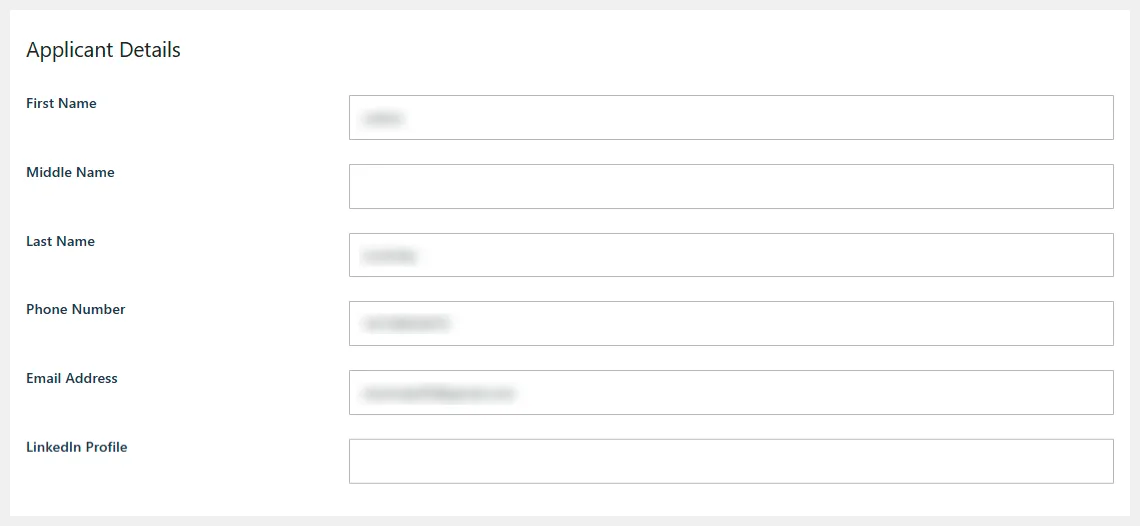
- First Name
- Middle Name
- Phone Number
- Email Address
- LinkedIn Profile
Address Information
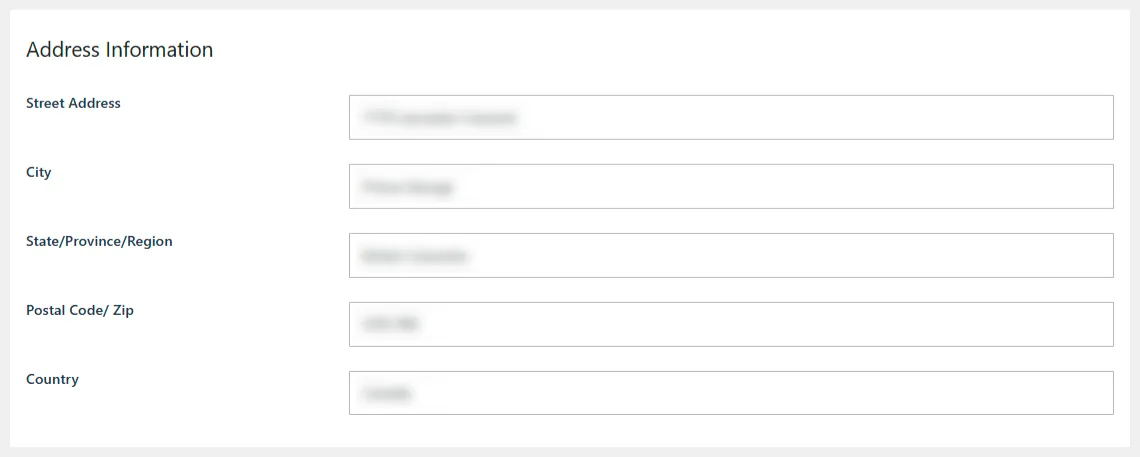
- Street Address
- City
- State / Province / Region
- Postal Code / ZIP
- Country
Additional Information
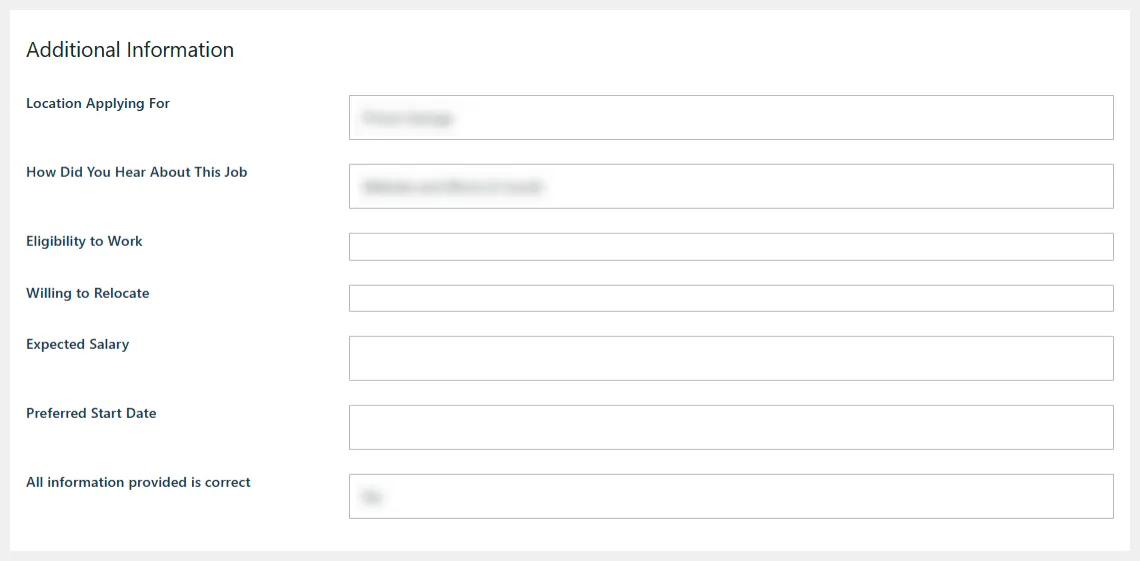
Location Applying For: If the job has multiple locations, applicants can select which location they are applying to.
How Did You Hear About This Job?: Applicant-provided source of discovery.
Eligibility to Work: Indicates whether the applicant is legally eligible to work in the job location.
Willing to Relocate: Shows the applicant’s willingness to move if needed.
Expected Salary: Applicant’s anticipated compensation.
Preferred Start Date: When the applicant is available to begin work.
Confirmation: Applicants must confirm that all information provided is correct.
Uploaded Documents

This section displays all files submitted by the applicant, including:
- Résumé
- Cover Letter
- Any additional documents uploaded via custom fields
Reviewer Tools
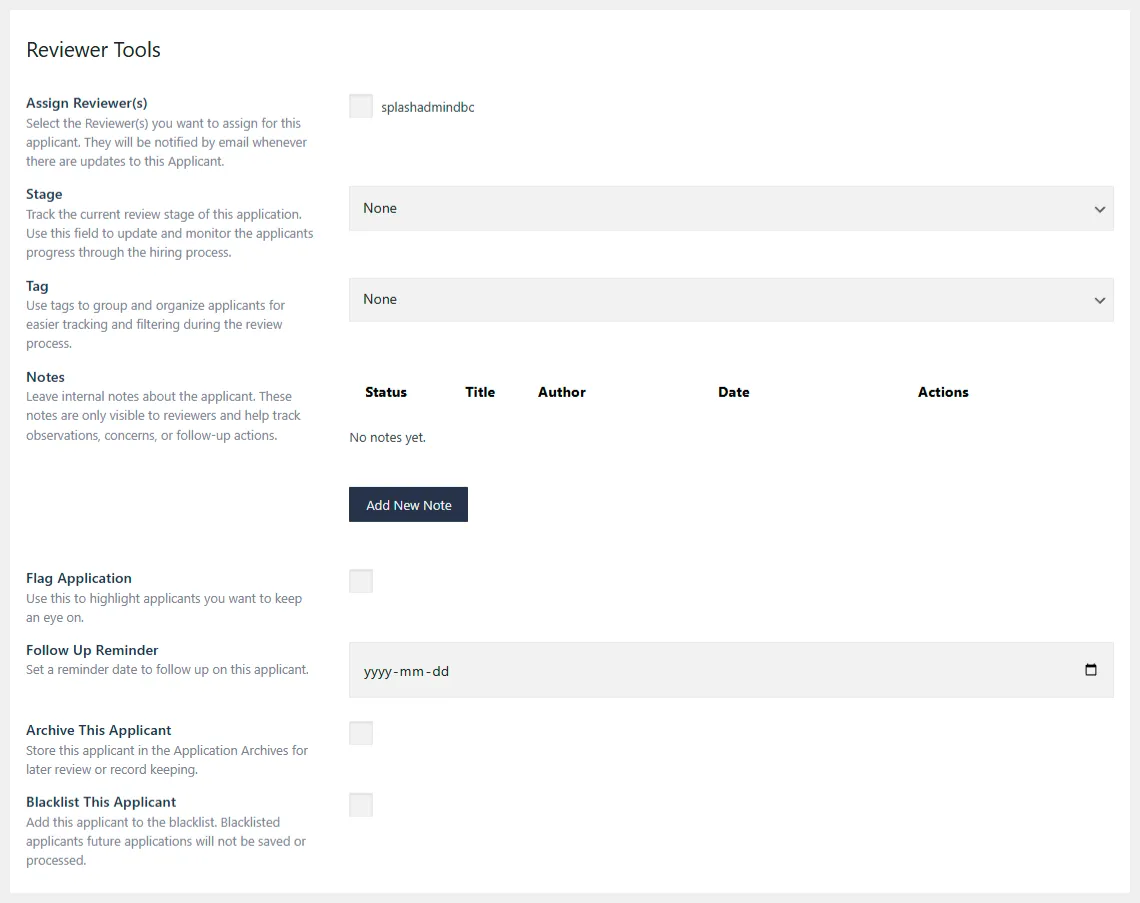
Assign Reviewer(s): Select one or more reviewers for the applicant. Assigned reviewers receive email notifications whenever the application is updated.
Stage: Track the applicant’s current stage in the hiring process. Available options:
- None
- Reviewing
- Contacted
- Interview Scheduled
- Interviewed
- Follow Up Later
- Offer Sent
- Offer Accepted
- Offer Declined
- Hired
- On Hold
- Rejected
Tag: Apply tags to categorize and organize applicants for easier filtering and tracking. Tags can be customized in the Settings panel.
Notes: Add internal notes visible only to reviewers. Useful for storing observations, concerns, or follow-up action items.
References: Add one or more references for the applicant and automatically send each reference a customized questionnaire via email. Responses help collect feedback and evaluate the applicant further.
Flag Application: Mark applications you want to pay special attention to.
Follow Up Reminder: Set a reminder date to revisit or follow up with this applicant.
Archive This Applicant: Move the applicant into the archive for long-term storage or record-keeping.
Blacklist This Applicant: Add the applicant to the blacklist. Blacklisted individuals will have their future applications automatically blocked—they will not be saved or processed.
Change Log: Every update made to the application—including status changes, assignments, notes, and edits – is automatically recorded in this section.