

Benefits
Benefits is a reusable summary that highlights your company’s unique perks, culture, benefit plans, etc., which can be displayed on your job postings. Although optional, it is an important part of your hiring process, helping applicants quickly understand what your organization offers.
Multiple Benefits summaries can be prebuilt and then assigned to different job postings. They’re also useful if you have different benefit plans (ie: medical, dental, vision, etc.) based on job position.
For Benefits settings: go to Careers → Benefits
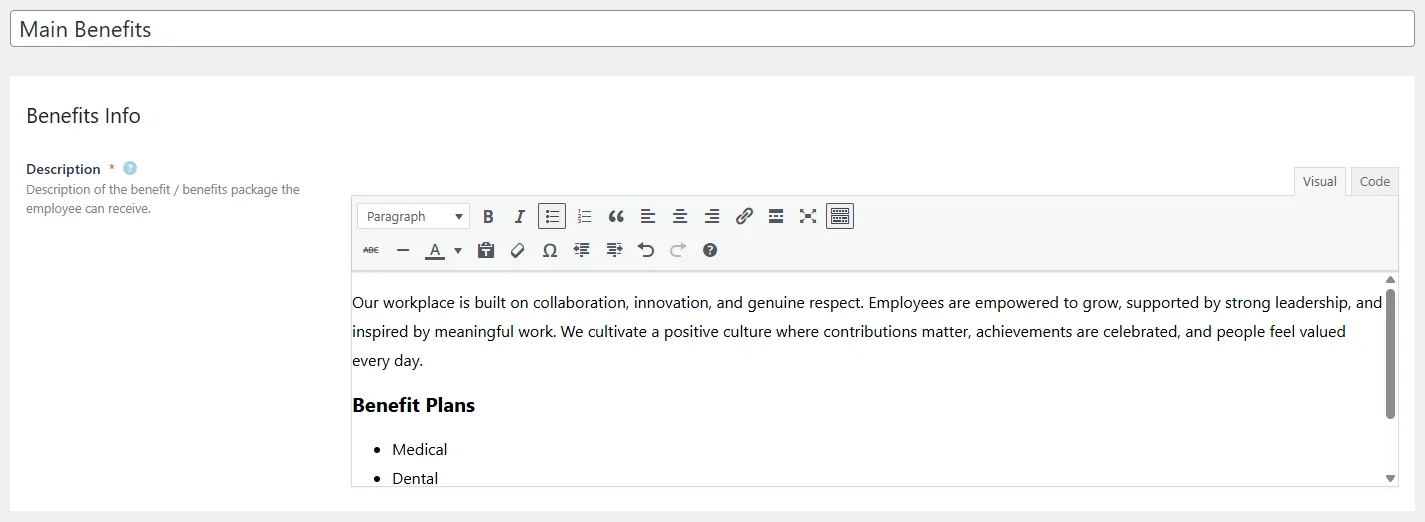
Create a Benefits Summary
- Enter a unique name for a benefits summary. Additional benefit summaries can be created later in the Benefits settings once the initial setup is complete.
- Description: Provide a clear overview of the benefits and perks your company offers – such as professional development allowances, wellness programs, extended health plans, flexible work arrangements, or any standout cultural elements that make your workplace appealing.
Edit Benefits
To edit an existing Benefits summary:
- Click on the summary you want to edit, then make your desired edits.
- Make sure to save your edits.
Delete Benefits
If you delete a Benefits summary, all job postings using that particular summary will be affected. Because these are optional, you can either assign a new summary, or not.