

Company Profile
What is a Company Profile?
A Company Profile stores basic company details that are displayed on your job postings. You pre-build your profile once in the settings, and then later assign to your job postings. This ensures applicants see consistent, accurate details about who they are applying to.
One primary Company Profile is required, which is often all you need. If your company hires across multiple locations, keep the primary profile but set up additional Job Locations to assign to each posting.
Multiple Company Profiles can be setup if you are a parent company with multiple subsidiary companies for which you want to display their unique company details.
For Company Profile settings: go to Careers → Company Profiles
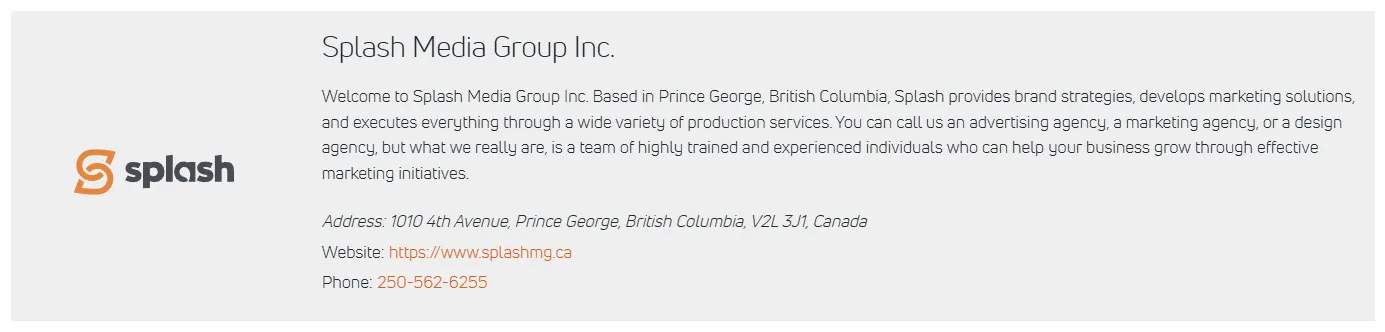
Creating a Company Profile
Here’s what the Company Profile settings look like in the WordPress Dashboard.
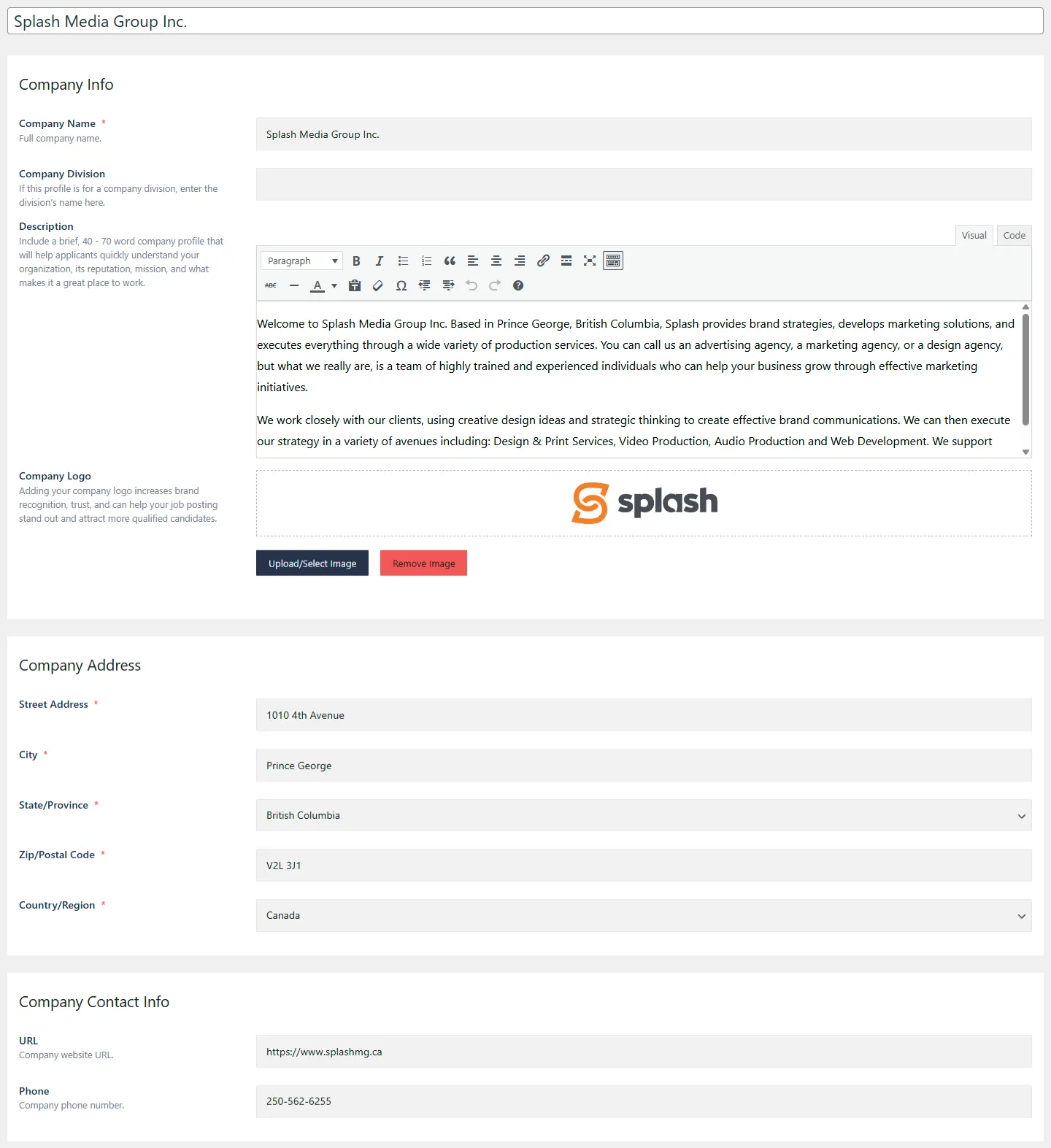
Name the Profile
- Enter the name for your company profile. This should be the full company name or the main identifier you want displayed.
Company Info
- Company Name: The full legal or publicly recognized name of the company.
- Company Division: If this profile represents a specific division or department, enter the division name here.
- Description: Provide a concise 40–70 word overview that highlights your organization’s mission, values, and workplace culture. This helps applicants quickly understand who you are and why they might want to work with you.
- Company Logo: Upload your company logo (JPG, PNG, or SVG). A visible logo strengthens brand recognition and helps your job postings appear more professional and trustworthy.
Company Address
Enter the full physical address for your company. This information is used across job postings to ensure applicants know the correct location associated with your organization.
- Street Address: The full street and unit number, if applicable.
- City: The city where the company or division is located.
- State / Province: The appropriate state or province.
- Zip / Postal Code: The complete postal code for the location.
- Country / Region: The country or region in which the company operates. Enter the complete physical address for your company. This is typically the head office unless the profile is meant for a specific division or location.
Company Contact Info
- URL: Your company website address. Optional.
- Phone: A primary contact number for applicants or general inquiries. Optional.
Edit a Company Profile
To edit an existing Company Profile’s information:
- Click on the profile you want to edit, and then make your desired edits.
- Make sure to save your edits.
Delete a Company Profile
If you delete a Company Profile, all job postings using that particular profile will be affected. A new company profile must be manually assigned to each affected job posting.